You have an idea for a SaaS product, a customer portal or an internal app, and a platform promises you can build it without writing code. A development company says you need the real thing. Both can be right, which is why no-code vs custom development is one of the first big decisions a founder or business owner makes.
Choose no-code when you needed custom, and you may rebuild everything just as customers arrive. Choose custom when no-code would have done, and you may spend your budget before you know anyone wants the product.
This guide compares the two on real cost, usage charges, ownership and limits, using prices we checked on 1 November 2026. It also shows how to test an idea cheaply and move later. A note before we start: CodeBase Coders builds custom software, so we have tried to be fair about when no-code is the smarter choice.
At a Glance
- No-code: build an app with visual tools on a platform such as Bubble, FlutterFlow or Glide. It is fast and cheap to start, but you depend on the platform and its pricing.
- Custom development: developers build your product in code, fitted to your idea. It costs more up front, and you control the code, the hosting and the roadmap.
- Choose no-code if: you are testing an idea, building a simple internal tool, or have very little budget.
- Choose custom if: the software is your business, handles sensitive data, needs complex rules, or must grow with many paying customers.
- Check first: some platforms let you download code and others do not, and usage charges can change the numbers.
What No-Code and Custom Development Mean
No-code platforms let you design screens, set up a database and add logic by dragging and configuring, without programming. Many now use AI to draft parts of the app. The tools differ a lot:
- Bubble builds full web apps, and now native mobile apps, that run on Bubble's own platform.
- FlutterFlow is a visual builder for mobile and web apps that can produce code you can download on paid plans.
- Glide suits simple business apps and team tools.
Custom development means developers write the product with technologies such as Laravel, React or Node.js, and run it on hosting you control. It takes more time and skill, but there is no platform deciding what you can and cannot build. If you are comparing AI tools that write code for you, our guide to AI website builders vs custom websites covers that side.
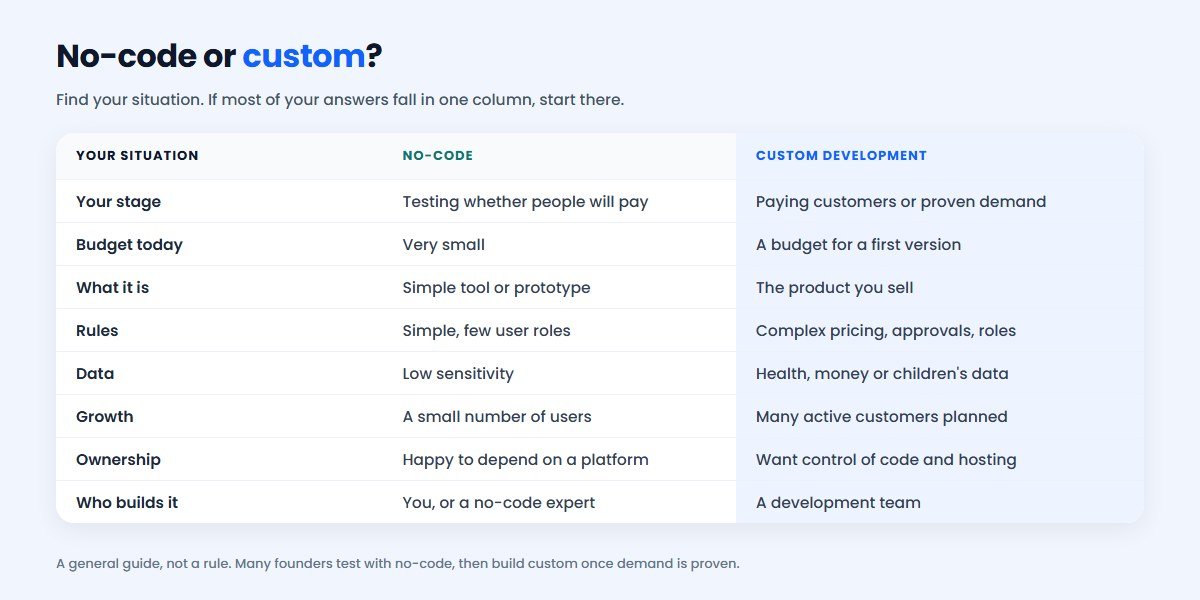
No-Code vs Custom Development: The Quick Answer
If you do not yet know whether people will pay for your idea, start with no-code. A working prototype is a far better test than a long specification, and it costs little.
If you already have paying customers or a proven process, or the software itself is what you sell, start with custom development. You will avoid building twice, and in India a first version often costs less than founders expect.
What No-Code Platforms Cost in 2026
These are the plans shown on each vendor's pricing page on 1 November 2026. Prices change often, so treat this as a dated snapshot.
| Platform and plan | Listed price | Good to know |
|---|---|---|
| Bubble Starter | $32/month | Billed annually; 175K workload units a month |
| Bubble Growth | $119/month | Billed annually; 250K workload units; 2 app editors |
| Bubble Team | $349/month | Billed annually; 500K workload units; 5 app editors |
| FlutterFlow Basic | ₹1,300/month | Includes code and APK download |
| FlutterFlow Growth | ₹2,650/month, first seat | Adds GitHub integration |
| FlutterFlow Business | ₹5,100/month, first seat | For teams on complex projects |
| Glide Basic | $25/month | Personal and team apps; 2 published apps |
| Glide Plus | $50/month | Public apps; 5 published apps |
| Glide Pro | $125/month | Unlimited published apps |
The subscription is only the start. Also budget for plugins, payment and email services, and either your own time or a no-code expert. Complex apps are not simple just because they are visual, and many founders end up paying someone to build them.
The Cost People Miss: Usage Charges
On many platforms your bill grows with your usage, not only with your plan. This matters most for a SaaS product, because success means more activity.
Bubble is a clear example. Your app's server activity is measured in workload units. Each plan includes a monthly amount, and without a workload tier, extra usage costs $0.30 per 1,000 workload units.
Say your app on the Growth plan uses 1 million workload units in a month. That is 750K over the included 250K, so the extra charge is $225 and your bill for the month is $344 instead of $119. How much workload your app uses depends on how it is built and how active users are, so this is an example, not a forecast. Buying a workload tier lowers the rate.
You can switch overages off, but there is a catch. Bubble says an app that passes its limit with overages off is taken offline until the next billing period, unless you enable overages or buy a tier. Bubble does email you when usage reaches 75%, so keep an eye on it.
None of this is unfair. It simply means you should model the cost at your target number of customers, not at launch. Credit-based platforms deserve the same check.
What Custom Development Costs
Custom development is a project fee, followed by running costs. Our starting range for a web application or SaaS product is ₹50,000 – ₹1,50,000. You can check your own project in our cost calculator, or read the full web app development cost guide.
The final price depends on:
- Number of features in the first version.
- User roles and permissions, such as admin, staff and customer.
- Subscriptions and billing, including plans, invoices and failed payments.
- Separate customer accounts, so each business sees only its own data.
- Integrations with payment gateways, CRMs, messaging or AI services.
- Mobile apps, if a mobile-friendly web app is not enough.
After launch you pay for cloud hosting, third-party services and a maintenance plan. These costs are real, but you can shop around, and adding customers does not automatically raise a platform's fee.
Want a real number for your product? Get an estimate in about a minute, or talk to our team for a written scope.
Side-by-Side Comparison
| No-code | Custom development | |
|---|---|---|
| Time to first version | Days to weeks | Often a couple of months |
| Day-one cost | Low | Higher |
| Cost as you grow | Rises with usage, seats or credits | Hosting grows; no platform fee |
| Complex rules | Possible, but can get hard to manage | Built exactly as needed |
| Speed and scale | Limited by the platform | Tuned to your product |
| Integrations | Good for popular tools and APIs | Anything with a way to connect |
| Hosting and data location | Mostly the platform's choice | Your choice |
| Hiring help | Platform specialists | Wide pool of developers |
| Biggest risk | Platform changes price or you outgrow it | Building the wrong thing; a weak developer |
Who Owns Your Product?
For a SaaS founder, this question matters more than the monthly price, and it affects what investors or buyers see when they look at your company.
- Bubble: its FAQ says you own your application design and your users' data. It also says "there's no traditional codebase to export". You can export data as CSV files, and Bubble can provide a raw JSON export of your app logic, but that is not something you can run elsewhere as it stands.
- FlutterFlow: paid plans include code download, and Growth adds GitHub integration. This is a real advantage, though developers should review any generated code before relying on it.
- Custom development: you can own the code, but only if your contract says so. Ask for a written transfer of ownership once the project is paid for, and keep the code repository and hosting accounts in your company's name.
So the honest question is not "can I own it?" but "what can I take with me on the day I leave?" Our guide to choosing a freelancer, a company or an in-house team explains code ownership under Indian law.
When No-Code Is the Better Fit
No-code is usually the right choice when:
- You want to test demand before spending real money.
- You need a simple internal tool, tracker or approval flow.
- You have no budget for developers yet.
- The app has few users and simple rules.
- You need a demo for investors or early customers.
- You are comfortable learning the tool, or you know someone who is.
In these cases, custom development would be spending money before you have learned what customers want. Build quickly, show it to real people, and be ready to change your mind.
When Custom Development Is the Better Fit
Custom development usually makes sense when:
- The software is your product. If customers pay for it, its code is your main asset.
- You have proven demand, such as paying customers, signed pilots or a working offline process.
- Your rules are complex, like pricing by customer type, multi-step approvals or many user roles.
- You handle sensitive data, such as health, financial or children's records, and need control over where it lives and who can see it.
- Enterprise customers will review you, and may ask about hosting, security and data handling.
- You are hitting limits on speed, cost or features on your current platform.
The Middle Path: Test With No-Code, Then Build
For many founders, the best answer is both, in order. Use no-code to prove people want the product, then build the version that lasts. To make that work:
- Keep the prototype small. Test the one thing customers will pay for, not every feature.
- Set a switch point early, for example a number of paying customers or a monthly platform bill.
- Choose a platform with an exit if you expect to move, and export your data regularly.
- Write down your rules. Notes on how the product works will save developers a lot of time later.
Another option is to keep no-code for internal admin tools while the customer-facing product is custom. If you are unsure about the bigger question of building at all, read build vs buy software.
Our Development Services, With Real Projects
If custom looks right, here is what CodeBase Coders builds. Each example is a real client project or our own product, and you can open its case study for details.
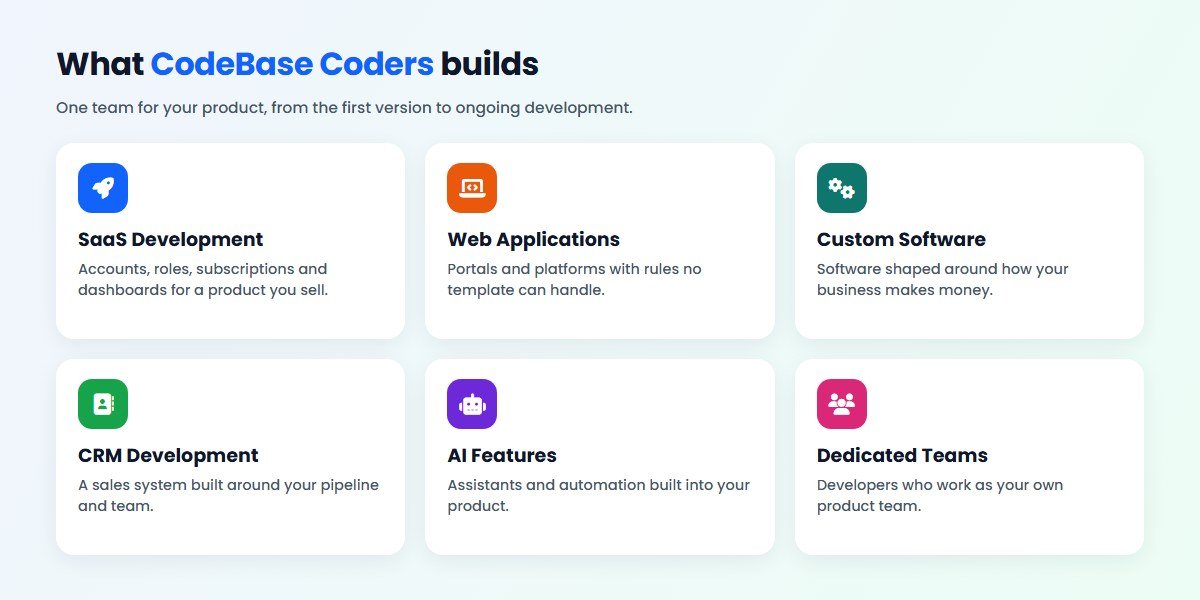
SaaS Product Development
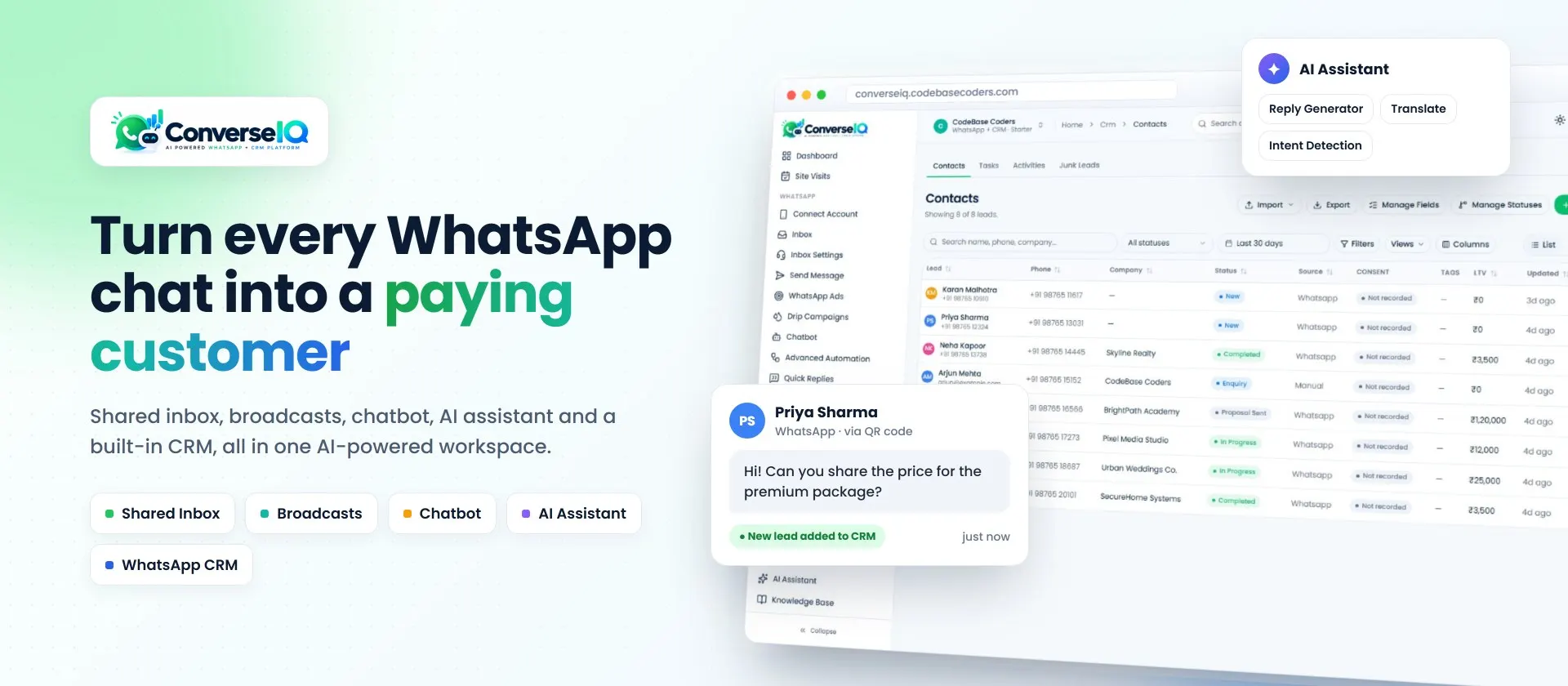
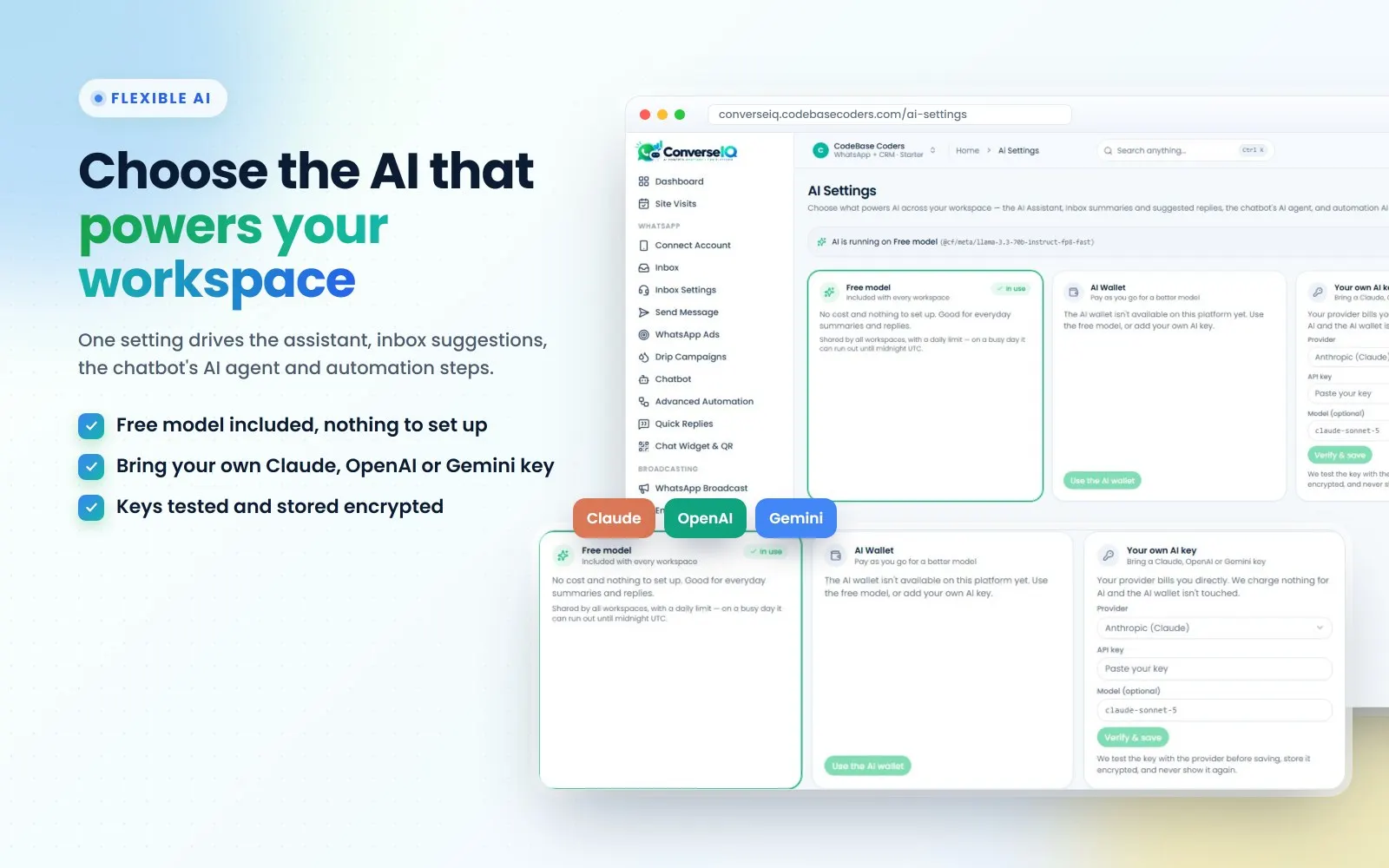
Accounts, roles, subscriptions and dashboards for a product you sell. We know what this takes because we run our own: ConverseIQ is a SaaS product we built and operate, with its own workspaces, AI settings and CRM. See SaaS development or AI product development.
Web Applications
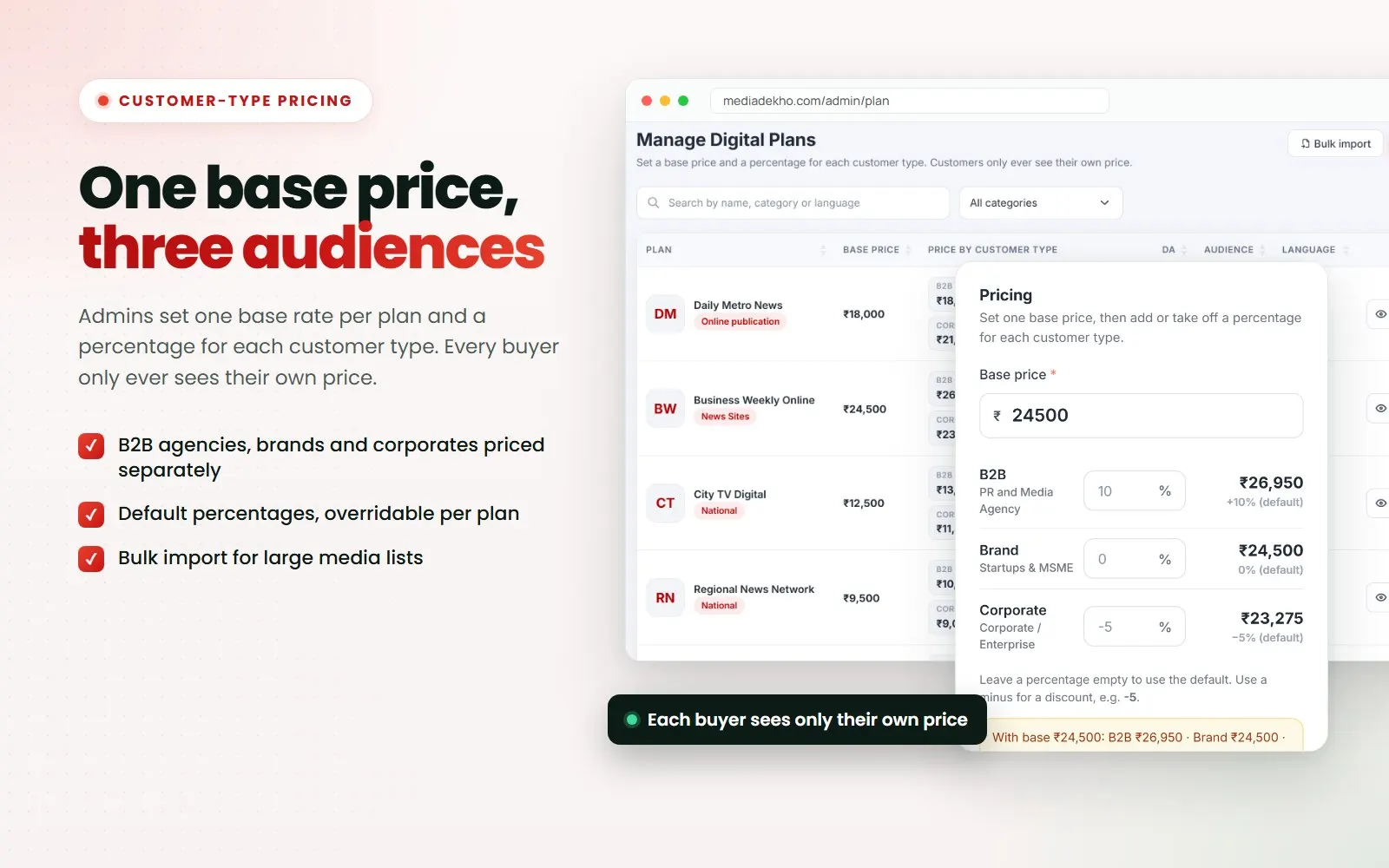
Portals and platforms with rules no template can handle. Media Dekho is a B2B platform with over 150 media plans, where agencies, brands and corporates each see their own price, then order or pay online. See web application development.
Custom Software and Quote Platforms
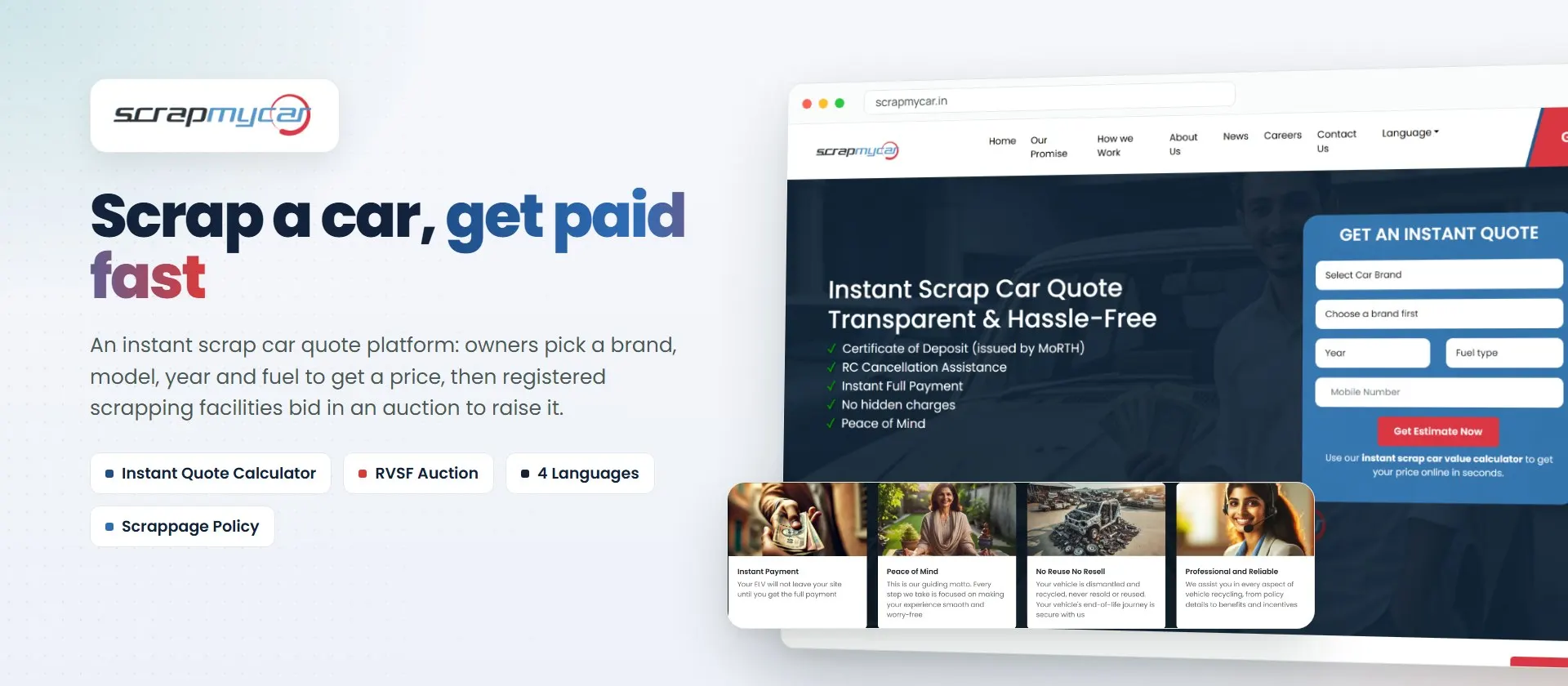
Software shaped around how your business makes money. ScrapMyCar is an instant quote platform with a guided form covering 23 car brands, an auction step, and a site in four languages. See custom software development.
Custom CRM Development
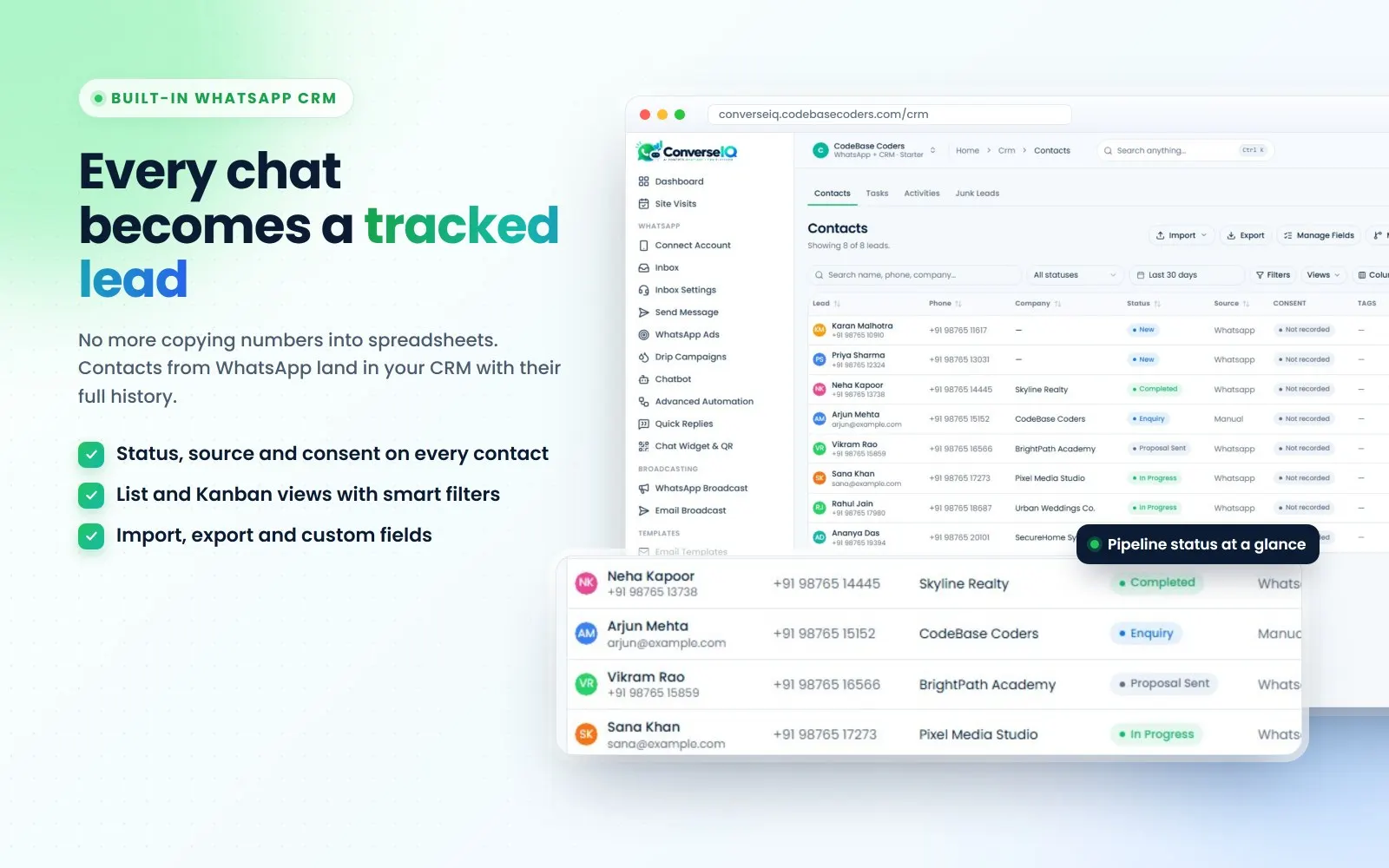
A sales system built around your pipeline, instead of workarounds in a generic tool. ConverseIQ's built-in CRM keeps each contact's status, source and history in one place, with list and Kanban views. See custom CRM development.
Dedicated Teams and Mobile Apps
Need ongoing development? A dedicated team works as your own product team, or you can hire Laravel developers and React developers directly. We also build mobile apps when a web app is not enough.
Have a product idea, or an app you have outgrown? Book a free call and we will suggest the simplest way forward, or see more of our work.
How to Move From No-Code to Custom Code
Moving is usually a rebuild, not a copy. Done carefully, your users barely notice:
- Treat the current app as the specification. List every screen, rule, automation and integration.
- Export your data. Check what you can get out, and how files and user accounts will move.
- Decide what not to rebuild. Drop features nobody uses before you pay to recreate them.
- Build the core first. Start with what paying customers use every day.
- Plan logins and billing. Work out how users sign in on the new system, and how active subscriptions carry over.
- Move in stages. Run a test migration, invite a small group, fix what breaks, then switch everyone.
- Keep the old app for a while. Do not cancel it until the new system has proved itself.
Questions to Ask Before You Decide
- What will this cost at launch, at 100 customers and at 1,000 customers?
- What happens if we go over a usage limit: extra charges, or does the app stop?
- What can we take with us if we leave: code, design, data, user accounts?
- Where is customer data stored, and who can access it?
- If the platform raises prices or drops a feature, what is our plan?
- Who will maintain this if the person who built it leaves?
- For a developer: is code ownership transferred to us in writing, and are the accounts in our name?
Conclusion
The no-code vs custom development decision comes down to what stage you are at. No-code is excellent for testing an idea and building simple tools cheaply. Custom development is usually the better investment once the software is your business, your rules are complex or your costs depend on growth. Many founders do well by using one and then the other.
Whichever you choose, model the cost at your target size, read the rules on usage, and know what you can take with you. If you want a second opinion, talk to us. Our team works from Noida, meets clients in Delhi NCR, and works online with founders across India and abroad. We will tell you honestly if no-code is enough for now.
Frequently Asked Questions
Is no-code good enough for a SaaS product?
It can be good enough to launch and test a simple SaaS product. Check how costs change with usage, and whether you can leave, before you build your whole business on it.
Is custom development more expensive than no-code?
It costs more at the start. Over time the gap can narrow, because no-code bills may rise with usage, seats or credits, while custom costs are mainly hosting and maintenance.
Can I export my code from Bubble?
Not as a normal codebase. Bubble says there is no traditional codebase to export. You can export your data as CSV files and ask for a raw JSON export of your app logic.
How much does a custom SaaS MVP cost in India?
Our starting range for a web app or SaaS product is ₹50,000 – ₹1,50,000. The final price depends on features, roles, billing and integrations, and is confirmed in a written scope.
When should I move from no-code to custom code?
Consider it when platform bills or limits start to cost you customers, features or margin, or when buyers ask about hosting and security. Plan the move before you are forced into it.
Is no-code the same as low-code?
They are close. No-code aims to need no programming at all, while low-code expects some code for the harder parts. Both still run within the limits of their platform.
How can CodeBase Coders help me choose between no-code and custom development?
Tell us what you want to build, who will use it and how you plan to earn from it. On a free call we will say honestly whether no-code is enough to test your idea. If custom makes sense, you get a written scope and quote before you pay anything. Already on a no-code platform? We can plan the move to custom code. See our SaaS development service.
Sources
- Bubble: pricing (checked 1 November 2026)
- Bubble Manual: pricing and workload FAQ
- Bubble: FAQ on ownership and data export
- FlutterFlow: pricing, viewed from India (checked 1 November 2026)
- Glide: pricing (checked 1 November 2026)
Work With CodeBase Coders
CodeBase Coders is a software development company in Noida that builds SaaS products, web apps, CRMs and mobile apps for founders and growing businesses in India and abroad. You own the code, design and accounts once the project is paid for.
- SaaS Development
- Web Application Development
- Custom Software Development
- Custom CRM Development
- AI Product Development
- Mobile App Development
- Hire a Dedicated Development Team
- Hire Developers
Further reading: Build vs buy software and Freelancer vs software development company.
Planning a product? Book a free consultation and get a written scope before you pay anything, check the cost yourself, or ask for a free audit of what you have today.
Rohan Verma
Founder, CodeBase CodersRohan Verma is the founder of CodeBase Coders. He helps startups, SMEs and enterprises turn ideas into scalable digital products and improve business processes through custom software, AI, automation, integrations and modern web technologies.