Zoho CRM is one of the first names Indian businesses hear when they move their sales team off spreadsheets. It is affordable, priced in rupees, quick to start and comes from a company with deep roots in India. Yet many growing businesses still ask whether they should build a CRM of their own instead. The custom CRM vs Zoho decision shapes what you pay every year, how quickly your team adopts the system, how well it fits your real process and who controls your customer data.
Neither option is right for everyone. This guide compares them honestly, using Zoho's published 2026 INR pricing, explains what building a custom CRM really involves, shows how to compare cost over three years and ends with a ten-question checklist. If you are close to a decision, by the end you should know which way to go, or exactly what you still need to find out.
At a Glance
- Zoho CRM is a subscription CRM with four paid editions from ₹800 to ₹2,600 per user per month (billed annually, taxes extra) and a free edition for up to 3 users.
- A custom CRM is software built for your business. You pay mainly upfront to build it, then for hosting, support and improvements, with no per-user fees. You own the code and the data.
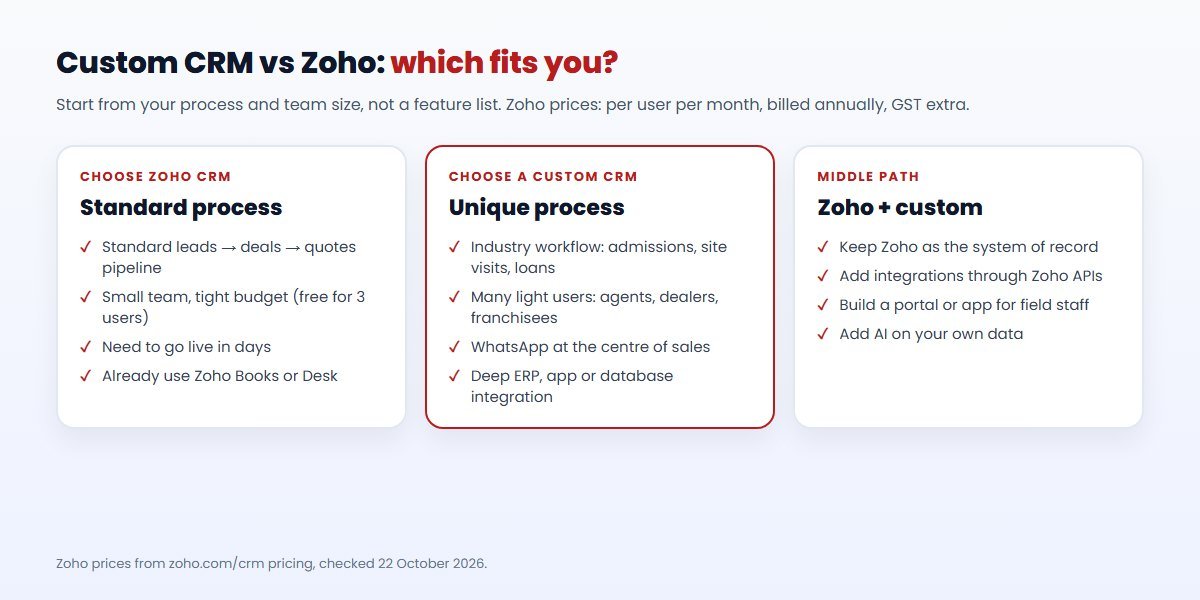
- Zoho usually wins for a standard sales pipeline, a small or medium team and a need to go live quickly.
- A custom CRM usually wins when your workflow is specific to your industry, you have many users who need only part of a CRM, or WhatsApp and your own systems sit at the centre of how you sell.
- Many businesses do both: they start on Zoho and add custom integrations, or build only the part of the process that no off-the-shelf CRM handles well.
Custom CRM vs Zoho: The Quick Answer
| Your situation | Usually the better fit |
|---|---|
| Standard B2B pipeline: leads, deals, quotes, follow-ups | Zoho CRM |
| Fewer than about 20 users and a small budget | Zoho CRM (start with Standard or Professional) |
| You need a CRM live in days, not months | Zoho CRM |
| An industry-specific process: admissions, site visits, loan files, dealer orders | Custom CRM |
| Many users (field agents, dealers, franchisees) who need only a few screens | Custom CRM |
| WhatsApp is your main sales channel | Custom CRM or a WhatsApp-first CRM |
| Deep links to your own ERP, app or database | Custom CRM, or Zoho with custom integration |
Zoho CRM Pricing in India (2026)
Zoho publishes INR prices on its pricing page. As checked on 22 October 2026, per user per month, billed annually:
| Edition | Price (₹/user/month, billed annually) | Highlights Zoho lists |
|---|---|---|
| Free | ₹0 | "Free forever for 3 users": leads, deals, workflows, reports and a mobile app |
| Standard | ₹800 | Workflows and assignment rules, AI agents, cadences, reports and dashboards, sales forecasting |
| Professional | ₹1,400 | Adds CPQ, email intelligence, process automation, widgets, inventory management, Google Ads integration |
| Enterprise | ₹2,400 | Adds AI sales assistant, journey orchestration, territory management, custom functions, customer portals |
| Ultimate | ₹2,600 | Adds enhanced feature limits, consulting, migration assistance, custom AI/ML |
Zoho notes that "local taxes (VAT, GST, etc.) will be charged in addition to the prices mentioned." Monthly billing is also offered; check Zoho's page for current monthly rates. These are list prices; discounts, add-ons and other Zoho apps are separate.
Compared with many international CRMs, these are modest prices, and that is a big reason Zoho is popular with Indian small and mid-sized businesses. The trade-off is the same as with any per-user subscription: the bill grows with every person you add, every year, for as long as you use it.
What a Custom CRM Involves
A custom CRM is not a copy of Zoho built from scratch. Done well, it is a focused system that covers the parts of your process that matter, in the order your team works, with the integrations you actually need. A typical first version includes:
- Lead capture from your website, landing pages, Meta lead ads, WhatsApp and phone enquiries.
- A pipeline with stages that match your process, not a generic one.
- Roles and permissions for managers, sales staff, partners or field agents.
- Tasks, reminders and follow-up automation.
- Quotes or invoices, if your process needs them.
- Reports and dashboards that answer your management questions.
- Integrations with your ERP, accounting software, app or database.
You pay to design and build it, then for hosting, maintenance and new features. You own the code and the data, and you are not tied to anyone's price list. The risks are real too: a custom build takes weeks or months, needs a capable development partner and needs someone to own it after launch. Our custom CRM development page explains how we approach it.
Custom CRM vs Zoho CRM: Head-to-Head
| Factor | Zoho CRM | Custom CRM |
|---|---|---|
| Time to go live | Days to weeks | Weeks to months |
| Upfront cost | Low; setup and training | Higher; design and development |
| Ongoing cost | Per user, every year | Hosting, support and improvements |
| Fit to your process | Configurable within Zoho's model | Built around your process |
| Features out of the box | Very broad | Only what you build |
| AI | Built in on paid editions | Added where it helps, with the AI provider you choose |
| Integrations | Zoho apps, a marketplace and APIs | Any system, built to your needs |
| Data and code ownership | Data exportable; platform owned by Zoho | You own both |
| Who maintains it | Zoho | You or your development partner |
Three-Year Cost: How to Compare Fairly
The fairest comparison looks at three years, not one month. Here is a simple worked example using Zoho's published price. It is arithmetic, not a quote:
- 20 users on Zoho Professional at ₹1,400 per user per month, billed annually, is ₹28,000 a month, or ₹3,36,000 a year before GST.
- Over three years that is ₹10,08,000 before GST, assuming the team and price stay the same.
- Double the team to 40 users and the licence cost doubles too.
Now add the costs people forget on the Zoho side: setup or a consultant, training, extra Zoho apps, paid extensions and any custom development to connect Zoho to your other systems. On the custom side, add the build, hosting, maintenance and a budget for improvements each year.
Then compare the totals. If a custom CRM costs less than the subscription over three years and fits your process better, it is worth serious thought. If it costs about the same or more, Zoho is usually the safer choice. For estimated custom CRM ranges, see our CRM development cost guide or try the project cost calculator; both show labelled estimates, and a real quote depends on your scope.
When Zoho CRM Is the Right Choice
- Your process is standard. Leads, deals, follow-ups and quotes work much the same way in your business as in most others.
- You need to start now. Zoho can be live in days, while a custom CRM takes longer.
- Your team is small. For a handful of users, the free edition or Standard costs less than building anything.
- You already use Zoho apps. If you run Zoho Books, Desk or Campaigns, the CRM fits naturally alongside them.
- You have no one to own a custom system. A subscription moves maintenance and updates to the vendor.
When a Custom CRM Is the Better Choice
- Your workflow is unusual. Real estate site visits, education admissions, loan processing, dealer networks and service businesses often fight against a generic CRM.
- You have many light users. Field agents, dealers or franchisees who need two or three screens are expensive on a per-user plan.
- The CRM is part of your product. If customers or partners log in, or the CRM drives your app, you need full control.
- Integrations are central. When the CRM must work closely with your ERP, database or app, a custom build avoids fragile workarounds.
- Licence costs keep growing. If your yearly CRM bill rises faster than the value you get, building can pay back over time.
The Middle Path: Zoho Plus Custom Integrations
The choice is not always all or nothing. Many businesses keep Zoho CRM as the system of record and add custom pieces around it:
- Integrations with an ERP, an accounting system or an in-house database through Zoho's APIs.
- A simple custom portal or app for partners or field staff that writes back to Zoho.
- Custom reports or dashboards that pull data from Zoho and other systems.
- AI features such as call summaries or lead scoring built on your own data.
This keeps Zoho's strengths while closing the gaps. Our guide to CRM integration with HubSpot, Salesforce and Zoho covers how these integrations work, and our software and API integration team builds them.
If Your Sales Happen on WhatsApp
For many Indian businesses the real sales conversation happens on WhatsApp, not email. Any CRM you choose should capture WhatsApp leads automatically, show the chat history next to the contact and let your team reply from one shared number. That needs the WhatsApp Business API, and either a connector or a platform built for it.
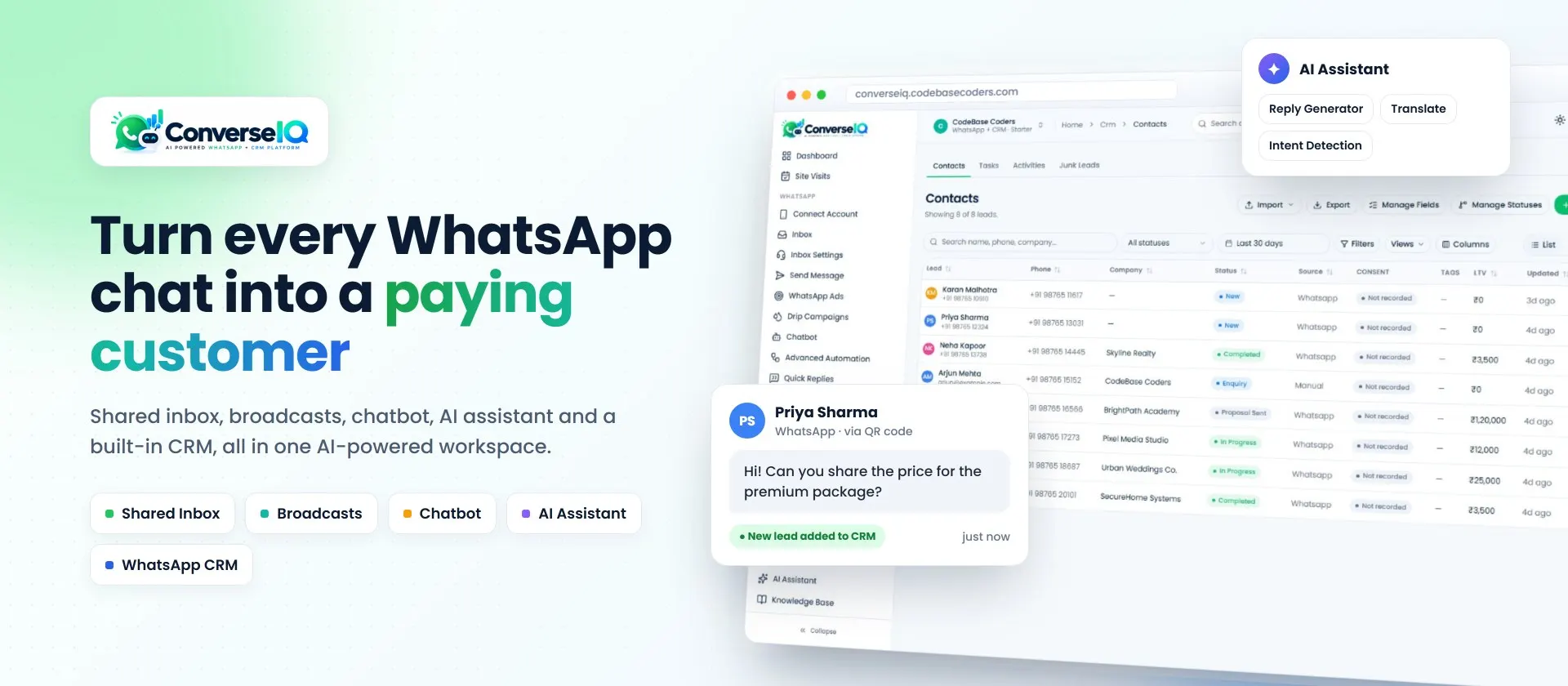
If WhatsApp is where most of your sales happen, consider a WhatsApp-first CRM rather than a general CRM with a WhatsApp add-on. ConverseIQ, the WhatsApp marketing software built by CodeBase Coders, combines a shared WhatsApp inbox, broadcasts, chatbots and an AI assistant with a built-in CRM pipeline, so chats and leads live in one place. Read more in our WhatsApp CRM guide.
Common Mistakes When Choosing a CRM
Choosing on features instead of adoption
A CRM only works if your team uses it every day. A system with every feature but too many fields and clicks will be ignored, and your data will end up back in spreadsheets and WhatsApp chats. Whether you pick Zoho or a custom build, design the daily screens around what salespeople actually do: see today's follow-ups, log a call, move a deal and send a quote.
Comparing one month instead of three years
A low monthly price can hide a large three-year total once the team grows, and a large build cost can hide a low three-year total once licences are gone. Always compare like with like over the same period, including the costs listed above.
Ignoring integrations until after launch
Most CRM frustration comes from data that does not flow: website leads that arrive late, invoices that live in another system or WhatsApp chats that never reach the CRM. List every system the CRM must talk to before you choose, and check how each connection will work.
Over-building the first version
If you go custom, resist building everything at once. Start with the pipeline, follow-ups and the reports management needs, launch, and then add quotes, automation and AI based on what the team asks for. This lowers cost, reduces risk and gets you value sooner.
Skipping data clean-up
Moving years of duplicate contacts and stale deals into a new system, Zoho or custom, simply moves the mess. Clean, de-duplicate and decide what to archive before you import.
Moving to Zoho or to a Custom CRM: What to Plan For
Whichever way you go, a CRM move goes smoothly when you plan these steps:
- Map your process. Write down your lead sources, pipeline stages, who does what and which reports managers use each week.
- Map your data. Decide how contacts, companies, deals, notes and activities in your old system map to the new one, including custom fields.
- Plan integrations. Website forms, lead ads, WhatsApp, email, accounting and any internal systems.
- Run a pilot. Let a small group use the new CRM for two to four weeks and fix what gets in their way.
- Train and switch. Train everyone, migrate the final data, and keep the old system read-only for a short period in case anything was missed.
- Review after a month. Check adoption, data quality and whether the reports answer the questions they were meant to.
A 10-Question Decision Checklist
- How many people will use the CRM today, and in three years?
- How different is your sales process from a standard pipeline?
- Which systems must the CRM connect to, and how closely?
- How important is WhatsApp in your sales process?
- How quickly do you need to go live?
- What will Zoho cost over three years, including add-ons and integration work?
- What would a custom CRM cost to build and run over the same period?
- Who will own and maintain a custom system after launch?
- Do customers, partners or field staff need their own access?
- How important is owning the code and hosting the data yourself?
If most of your answers point to a standard process, a small team and speed, start with Zoho. If they point to an unusual process, many users, WhatsApp or deep integrations, a custom CRM deserves a proper estimate.
Conclusion
The custom CRM vs Zoho question comes down to fit, scale and time. Zoho CRM is an affordable, proven choice that suits many Indian businesses with standard sales processes, especially small teams that need to start quickly. A custom CRM costs more upfront but fits your process exactly, has no per-user fees and gives you full ownership, which can pay off for businesses with unusual workflows, many users or WhatsApp at the heart of their sales.
Work through the checklist, compare three-year costs honestly and remember the middle path: you can start on Zoho and add custom integrations later. If you want a second opinion, we are happy to look at your process and tell you which way we would go.
Frequently Asked Questions
Is Zoho CRM cheaper than a custom CRM?
For small teams, usually yes. Zoho starts at ₹800 per user per month billed annually, and the free edition covers 3 users. For larger teams or unusual processes, a custom CRM can cost less over several years because it has no per-user fees.
How much does Zoho CRM cost in India in 2026?
Zoho lists Standard at ₹800, Professional at ₹1,400, Enterprise at ₹2,400 and Ultimate at ₹2,600 per user per month, billed annually, with GST charged on top. A free edition is available for up to 3 users.
Can a custom CRM integrate with WhatsApp?
Yes. A custom CRM can connect to the WhatsApp Business API to capture leads, store chat history and send messages. A WhatsApp-first platform such as ConverseIQ includes this out of the box.
Can I move from Zoho CRM to a custom CRM later?
Yes. Zoho lets you export your data, and a custom CRM can import contacts, deals and history. Plan the data mapping and a short period of running both systems.
What is the best Zoho CRM alternative for an Indian business?
It depends on your process. Other subscription CRMs suit standard pipelines, a WhatsApp-first CRM suits chat-led sales, and a custom CRM suits unusual workflows or many users.
How can CodeBase Coders help me choose between a custom CRM and Zoho CRM?
CodeBase Coders starts with your sales process, team size and the systems your CRM must talk to. If Zoho CRM fits, we help you set it up and connect it to your website, WhatsApp, accounting and other tools. If a custom CRM is the better long-term choice, we design and build it around your workflow. Explore our custom CRM development, CRM and API integration and IT consulting services, or book a free consultation.
Sources
Work With CodeBase Coders
CodeBase Coders helps businesses turn ideas into scalable digital products and improve existing processes through software, automation, AI, integrations and modern web technologies. For CRM projects, we help you choose between Zoho and a custom build, connect your CRM to WhatsApp and your other systems, or design and build a CRM around your own process.
- Custom CRM Development
- Software & API Integration Services
- IT Consulting
- AI Integration Services
- ConverseIQ WhatsApp Marketing Software & CRM
Not sure whether Zoho or a custom CRM is right for you? Book a free consultation and we will look at your process, team and integrations and give you an honest recommendation.
Rohan Verma
Founder, CodeBase CodersRohan Verma is the founder of CodeBase Coders. He helps startups, SMEs and enterprises turn ideas into scalable digital products and improve business processes through custom software, AI, automation, integrations and modern web technologies.