Your leads live in spreadsheets, WhatsApp chats and someone's notebook. Follow-ups slip, and nobody can say how many deals are open this month. You know you need a CRM. HubSpot is the name everyone mentions, and a developer says you should have one built for you. The custom CRM vs HubSpot choice is in front of you, and it will shape what your sales team pays and how it works for years.
Get it wrong and you either pay per-user fees that grow with every new hire for features you never open, or you spend months building software when a ready tool would have done the job.
This guide compares the two on real cost, using HubSpot prices we checked on 3 November 2026, plus features, data ownership and fit. It also shows what 10 users cost over three years and gives you a simple payback sum to run with your own numbers. A note before we start: CodeBase Coders sets up HubSpot for clients and also builds custom CRMs, so we have no reason to push you towards either.
At a Glance
- HubSpot: a ready CRM you rent each month, priced per user (HubSpot calls them seats). It is quick to start, with marketing, sales and service tools from one company.
- Custom CRM: a CRM built in code around your sales process, running on hosting you control. It costs more to start, with no per-user licence fees.
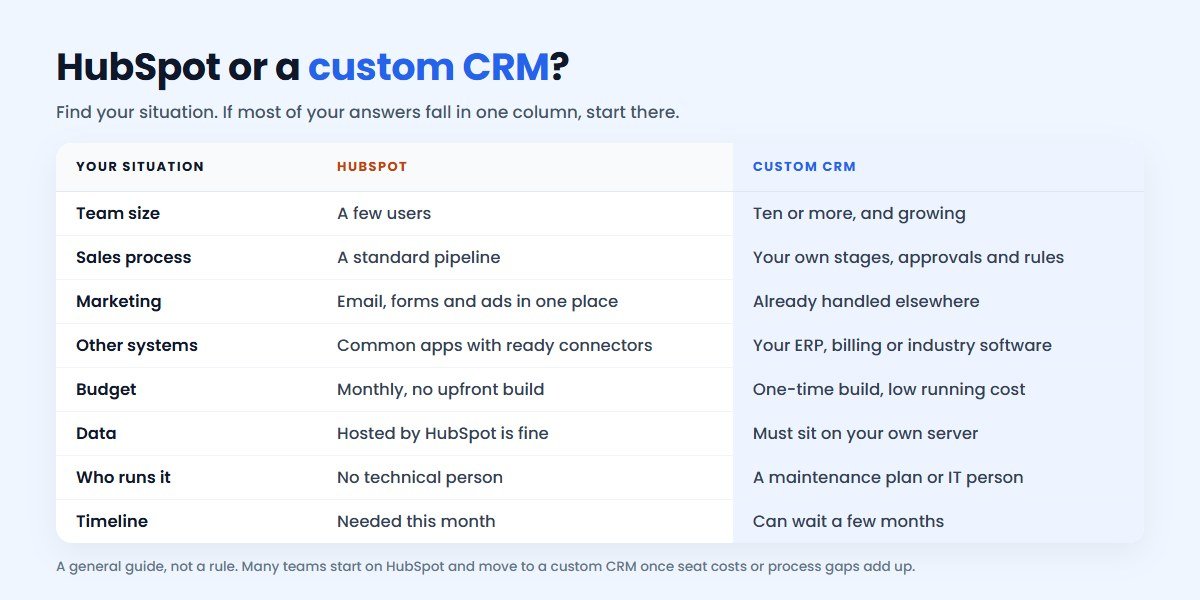
- Choose HubSpot if: your team is small, your process is a standard pipeline, or you want marketing email and forms in the same tool.
- Choose custom if: you have ten or more users, your process has its own stages, approvals or pricing rules, or the CRM must work closely with your ERP or billing.
- Watch out for: HubSpot's Professional plan has a required one-time onboarding fee of ₹1,25,000, on top of the seat price.
What Each Option Really Means
HubSpot is a cloud platform. Its CRM is free for up to 2 users, and paid "hubs" add tools: Sales Hub for pipelines, sequences and forecasting, Marketing Hub for email and campaigns, Service Hub for support tickets. You pay for each hub and each seat, and HubSpot runs the servers, security and updates.
A custom CRM is software a development team builds for your business, usually as a web application with Laravel, React or Node.js, plus a mobile-friendly screen for staff in the field. It has the stages, fields, permissions and reports you need, and nothing else. You own it, and you are responsible for keeping it running, usually with a maintenance plan.
If you are also looking at other CRMs, see our comparisons of a custom CRM vs Zoho and a custom CRM vs Salesforce. For software in general, build vs buy covers the wider question.
Custom CRM vs HubSpot: The Quick Answer
For a team of two to five people with a normal sales process, start with HubSpot. The free CRM or Starter plan costs little, and you can be working this week.
Choose a custom CRM when your process does not fit a standard pipeline, or when you have enough users that seat fees over three years cost more than a build and a maintenance plan. Many businesses reach that point once they need HubSpot's Professional features for ten or more people.
HubSpot Pricing in 2026
These are the Sales Hub prices shown on HubSpot's pricing page from India on 3 November 2026. They are list prices per seat per month, before tax. Prices change, so treat this as a dated snapshot.
| Sales Hub plan | Price in India | Price in USD | One-time onboarding |
|---|---|---|---|
| Free | ₹0, up to 2 users | $0 | None |
| Starter | ₹1,670/seat/month | $20/seat/month | None |
| Professional | ₹8,330/seat/month | $100/seat/month | ₹1,25,000 ($1,500), required |
| Enterprise | From ₹12,500/seat/month | From $150/seat/month | ₹2,92,000 ($3,500), required |
A few details matter when you budget:
- New-customer discounts. During our check, HubSpot showed lower first prices for new customers, such as Starter from ₹585 per seat. They are for new customers only and depend on how you pay, so plan with the list price.
- Commitment. The Starter card says "Commit monthly". The Professional card says "Commit annually", so you sign up for a year even if you pay monthly.
- View-only users are free. HubSpot says view-only seats come at no extra cost, so a manager who only reads reports does not need a paid seat.
- HubSpot Credits. Paid plans include 500, 3,000 or 5,000 credits a month for AI agents and other automated features. Heavy use can mean buying more.
- Other hubs. Sales Hub does not include Marketing Hub's tools. If you want HubSpot for email campaigns too, that is a separate subscription.
What 10 Users Cost Over Three Years
A CRM is a long-term tool, so look at three years, not one month. This table is simple arithmetic on the list prices above for a team of 10 sales users, before tax.
| Plan | Per year | Year one, with onboarding | Three years in total |
|---|---|---|---|
| Starter | ₹2,00,400 | ₹2,00,400 | ₹6,01,200 |
| Professional | ₹9,99,600 | ₹11,24,600 | ₹31,23,800 |
| Enterprise (starting price) | ₹15,00,000 | ₹17,92,000 | ₹47,92,000 |
The cost grows with your team. At 25 users, Professional comes to ₹76,22,000 over three years. In US dollars, 10 Professional seats for three years, plus onboarding, come to $37,500.
Which plan you really need is the key question. Starter adds calling, task queues and AI tools such as a notetaker to the free CRM's pipeline. Sequences, forecasting and conversation intelligence start at Professional. Many teams choose Starter, then find out the feature they wanted is one plan up.
What a Custom CRM Costs
A custom CRM is a one-time build, followed by running costs. The price depends on what you need, so here are the main cost drivers:
- Modules. Leads and pipeline only, or also quotations, invoices, inventory, service tickets or projects.
- Roles and approvals. Who can see which leads, who approves discounts, how branches or teams are separated.
- Integrations with your website forms, WhatsApp, email, telephony, accounting software or ERP.
- Reports. Standard dashboards, or detailed reports by product, source, salesperson and region.
- Data migration from spreadsheets or your current CRM, including clean-up.
- Mobile use. A responsive web app is usually enough; a separate mobile app costs more.
After launch, you pay for hosting, backups and a maintenance plan for security updates, fixes and small changes. Budget for this from day one. On HubSpot, these jobs are part of the subscription; on a custom CRM, they are yours.
For estimated ranges by CRM size, read our CRM development cost guide or check your project in the cost calculator. For a real number, talk to our team and get a written scope.
How to Work Out Your Payback
A custom CRM only makes financial sense if it saves more each year than it costs to run. Use this simple sum:
Payback time = build cost ÷ (yearly HubSpot cost − yearly cost of running the custom CRM)
Here is an example with sample numbers, not a quote. Say a custom CRM costs ₹5,00,000 to build and ₹75,000 a year to host and maintain, so ₹7,25,000 over three years.
- 5 users who only need Starter: HubSpot costs ₹1,00,200 a year, so you save just ₹25,200 a year. Stay on HubSpot.
- 10 users who only need Starter: you save ₹1,25,400 a year, so the build pays back in about 4 years. HubSpot is still the safer choice unless the fit problems are serious.
- 10 users who need Professional: HubSpot costs ₹31,23,800 over three years against ₹7,25,000 for the custom CRM. You are ahead within the first year.
Be fair to HubSpot when you do this sum. Compare it with the features your team will actually use, not with everything Professional offers. A custom CRM will not include HubSpot's AI agents, conversation intelligence or app marketplace unless you pay to build or connect them. If your team only needs a pipeline, tasks, reminders and reports, the comparison is closer to Starter than to Professional. Our software ROI calculator can help you run your own numbers.
Side-by-Side Comparison
| HubSpot | Custom CRM | |
|---|---|---|
| Time to start | Same day to a few weeks | Often 6 to 14 weeks |
| Day-one cost | Free to low, plus onboarding on Pro | Higher, for the build |
| Yearly cost | Grows with every user | Hosting and maintenance |
| Fit to your process | Configure within HubSpot's model | Built around your process |
| Marketing tools | Strong, in Marketing Hub | Built or connected as needed |
| Integrations | Large app marketplace | Any system with an API, built to order |
| AI features | Built in, paid through credits | Added where they help |
| Where data lives | HubSpot's servers | Your own server or cloud account |
| Biggest risk | Seat costs and plan upgrades grow | A weak developer or no maintenance |
Data, Ownership and Lock-in
Your data on HubSpot
Your contacts, companies and deals belong to you, and HubSpot lets users with export permission download them as CSV, XLS or XLSX files. That covers the records. What does not move is the setup around them: workflows, sequences, reports and integrations are built inside HubSpot and must be rebuilt elsewhere.
Your data on a custom CRM
The data sits in a database you control, which helps if your clients or industry expect data to stay on your own systems. Ownership of the code is not automatic, though. Your contract should give you a written transfer of the source code once the project is paid for, and the hosting, domain and code accounts should be in your company's name. Our guide to choosing a freelancer, a company or an in-house team explains this under Indian law.
Privacy rules
Either way, a CRM holds personal data. In India that brings in the DPDP Act, and for customers in the UK and Europe, GDPR. HubSpot gives you consent and privacy settings to configure. A custom CRM can record consent and keep data where you need it, but only if those features are in the scope.
When HubSpot Is the Better Fit
HubSpot is usually the right choice when:
- Your sales team is small, or you are a founder selling on your own.
- Your process is a standard pipeline of lead, meeting, proposal and close.
- You want marketing email, landing pages and the CRM from one company.
- You need a CRM working this month, not this quarter.
- You have no technical person and do not want to manage a developer.
- The integrations you need already exist in HubSpot's marketplace.
In these cases a custom build would solve a problem you do not have yet. We can set up HubSpot's pipelines, properties, forms and automation for your team and connect it to your website through our integration services, and you can always move later.
When a Custom CRM Is the Better Fit
A custom CRM usually makes sense when:
- Your process is your own, such as site visits and bookings in real estate, admissions in education, or loan files with document checks.
- You need approvals, such as discount limits, credit checks or manager sign-off before a quote goes out.
- The CRM must work with other systems, such as your ERP, billing, stock or an industry tool, and send data in both directions.
- You have many users, including field staff, dealers or partners who need limited access to their own leads.
- Your seat costs have grown past what a build and maintenance plan would cost over three years.
- You want the CRM inside your product, such as a customer portal where buyers see their own orders and quotes.
If you are in one of these industries, see our pages on real estate CRM development and other industry software.
Our CRM Services, With Real Projects
Here is what CodeBase Coders builds for sales teams. Each example below is a real project, and you can open its case study for details.
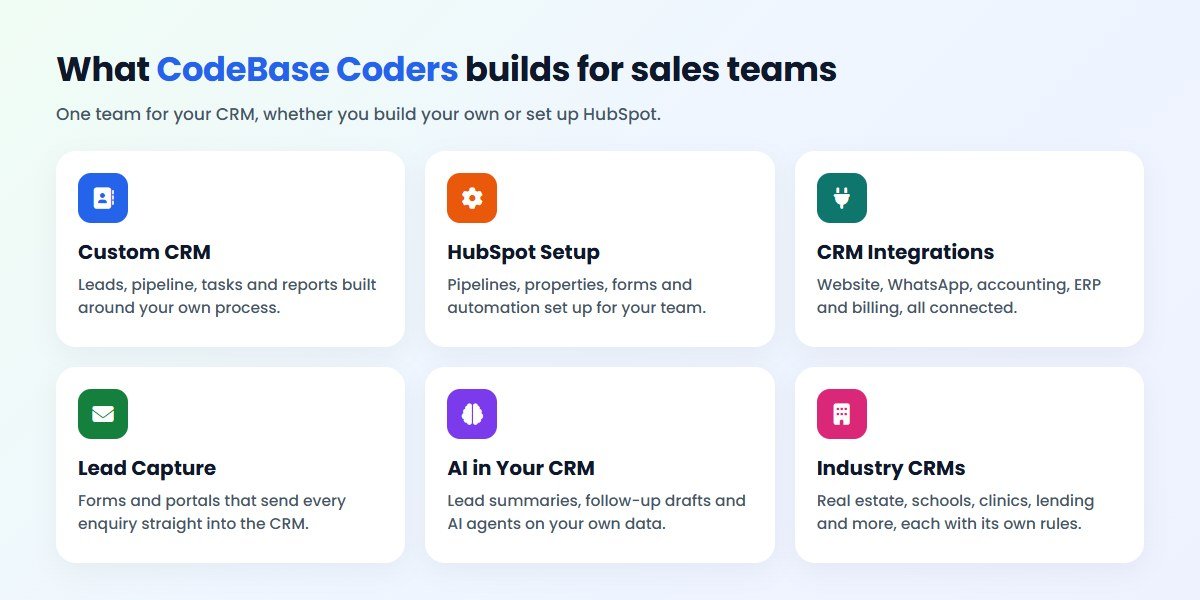
Custom CRM Development
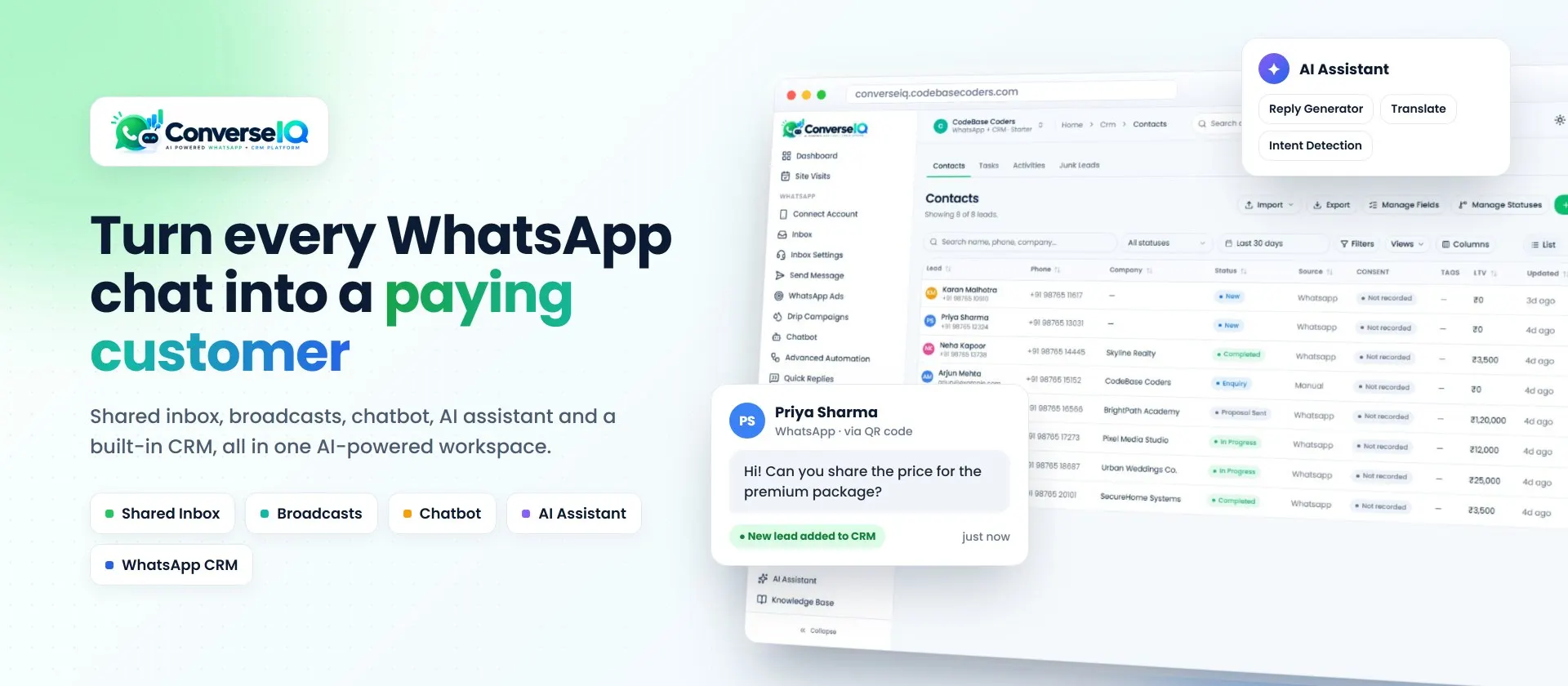
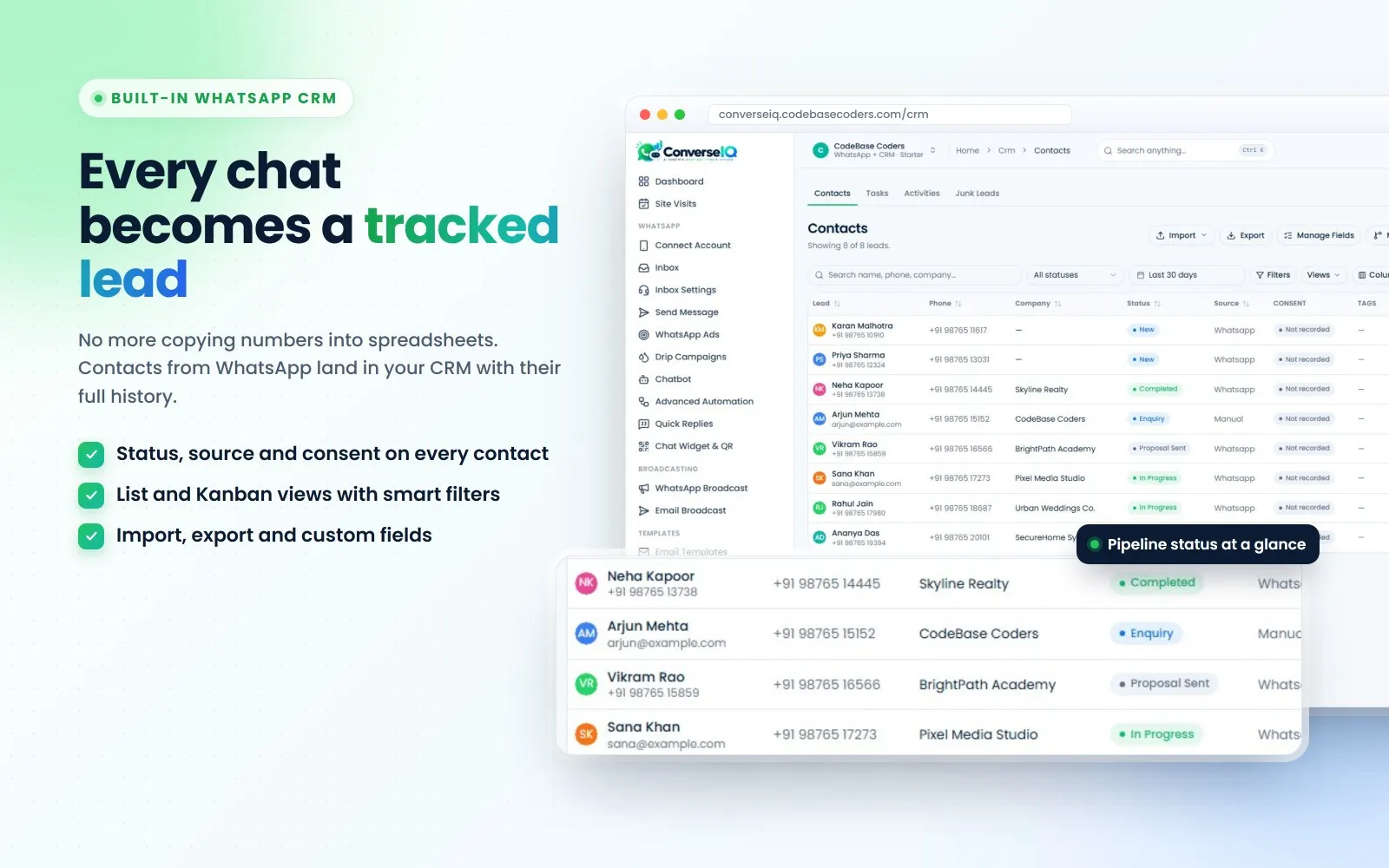
A CRM with your stages, fields and reports. ConverseIQ, our own software product, includes a CRM where every contact has a status, source and consent record, with list and Kanban views, smart filters, import, export and custom fields. See custom CRM development or see the ConverseIQ case study.
Customer Accounts and Portals
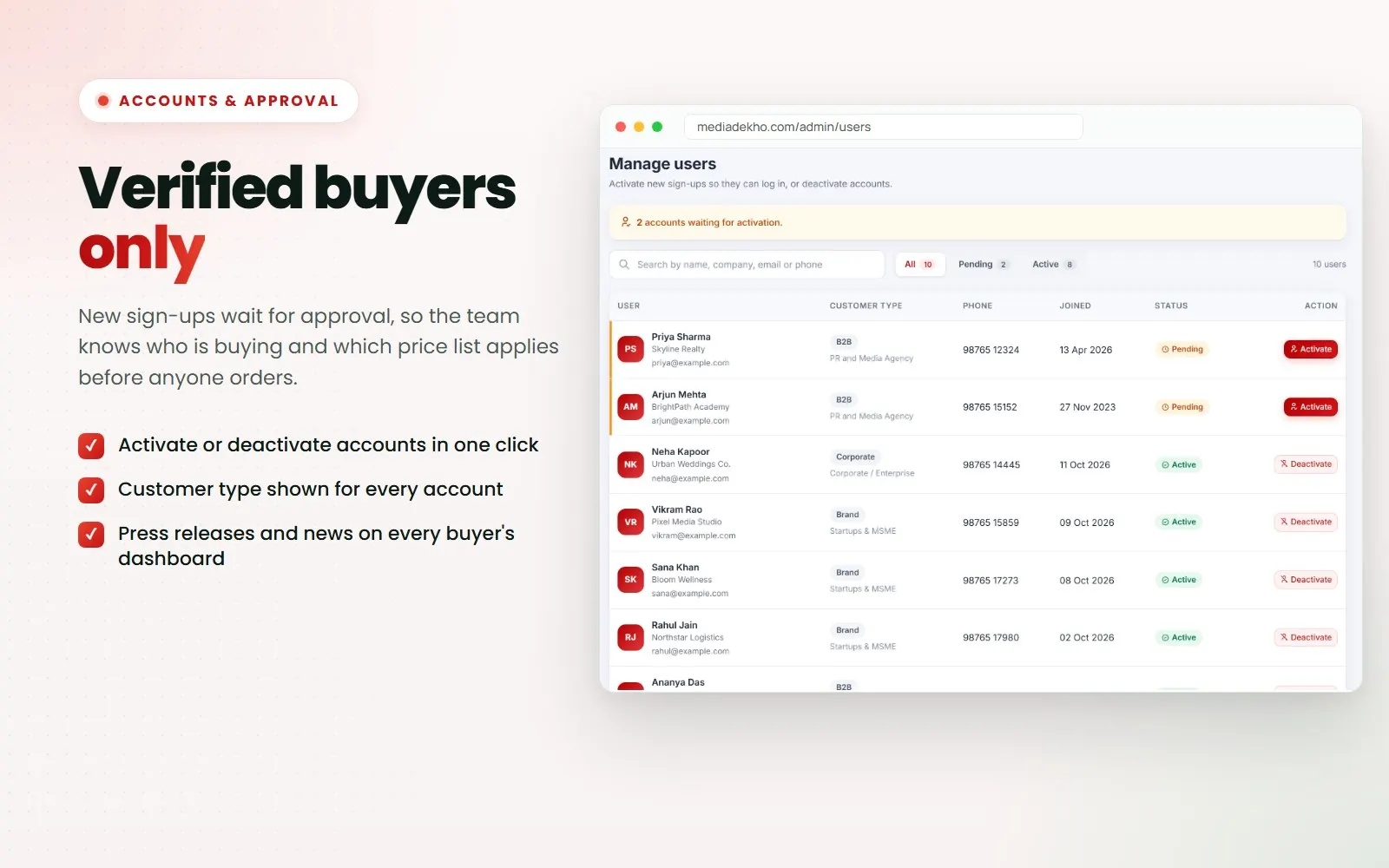
When customers need their own logins, a CRM becomes part of your product. Media Dekho is a B2B platform where new sign-ups wait for approval and each account carries its customer type, so the right price list applies from the first order. See the case study or our web application development service.
Lead Capture That Feeds Your CRM
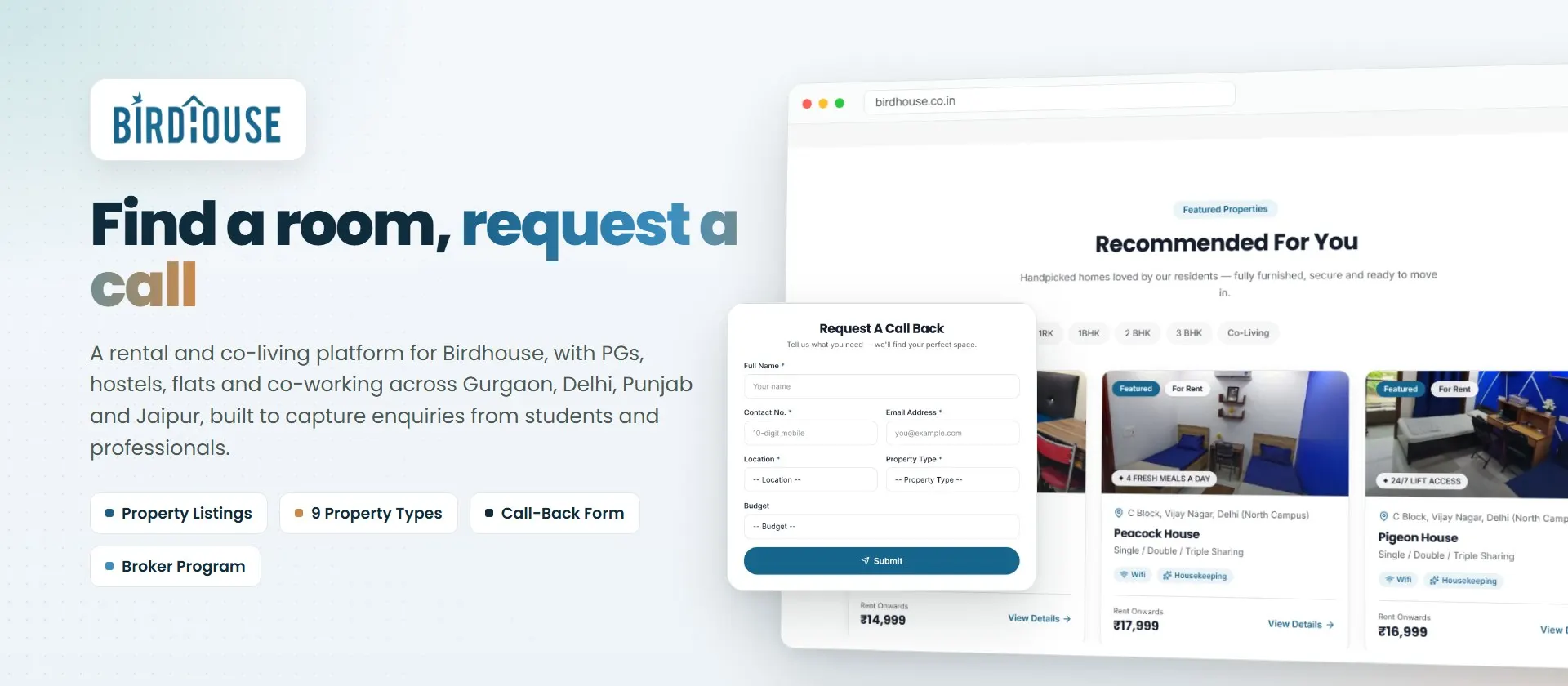
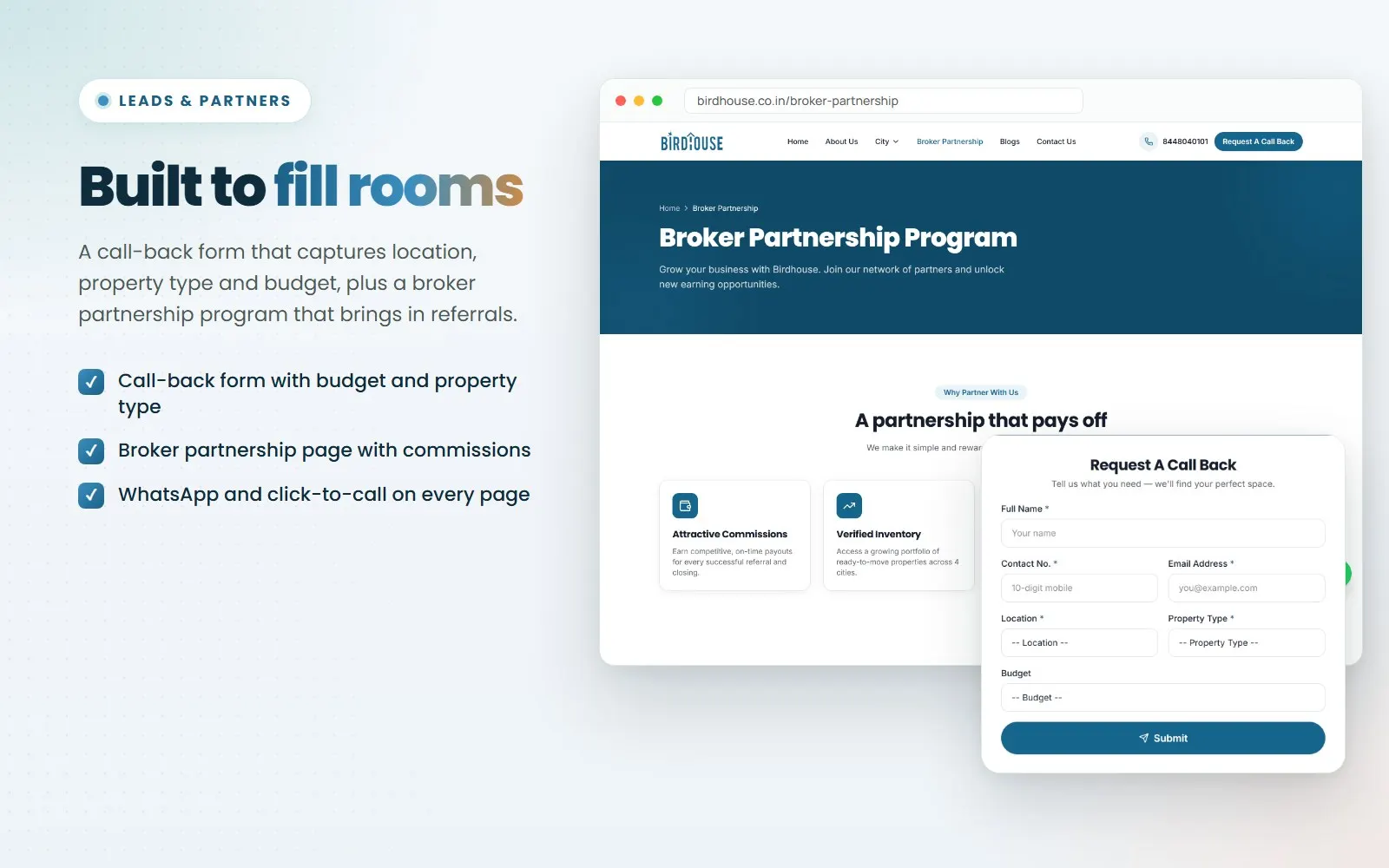
A CRM is only as good as the leads that reach it. Birdhouse, a rental and co-living platform, has a call-back form that collects location, property type and budget, plus a broker partnership program that brings in referrals. See the case study.
HubSpot Setup, Integrations and AI
If HubSpot is right for you, we configure it and connect it to your website, WhatsApp, accounting and other tools through our software integration services. We also add AI to CRMs, such as lead summaries and follow-up drafts, through AI integration and AI agent development. For a long project, you can hire Laravel developers or a dedicated team.
Not sure which suits your team? Book a free call and we will tell you honestly, or ask for a free audit of your current setup.
How to Move From HubSpot to a Custom CRM
A careful move keeps your sales team working without a gap:
- Export your records. Download contacts, companies, deals and notes, and keep a full backup.
- List what you use. Note every pipeline, property, workflow, sequence, report and integration, and decide which you still need.
- Clean the data. Remove duplicates and old fields before you import, not after.
- Build and test with real users. Let two or three salespeople use the new CRM on live leads before everyone moves.
- Reconnect your forms. Point your website, ads and WhatsApp leads to the new CRM, and test each source.
- Train the team. Short sessions on daily tasks work better than one long demo.
- Keep HubSpot briefly. Keep read access until you are sure nothing is missing, then cancel at the end of your term.
Questions to Ask Before You Decide
- How many people will use the CRM today, and in two years?
- Which HubSpot plan has every feature we need, and what does it cost over three years?
- Which steps of our sales process do not fit a standard pipeline?
- Which systems must the CRM exchange data with?
- Do we also need marketing email, or is that handled elsewhere?
- Who will fix the CRM if it stops working on a busy day?
- For a developer: who owns the code, and are the accounts in our name?
Conclusion
The custom CRM vs HubSpot decision comes down to team size, process and the features you really use. HubSpot is the sensible start for small teams with a standard pipeline, with little to manage and nothing to build. A custom CRM earns its cost when your process does not fit, when the CRM must work closely with other systems, or when per-seat fees over three years cost more than a build and a maintenance plan.
Work out your real three-year cost, then decide. If you want a second opinion, talk to us. Our team works from Noida, meets clients in Delhi NCR, and works online with businesses across India and abroad. If HubSpot is enough for you, we will say so.
Frequently Asked Questions
Is a custom CRM cheaper than HubSpot?
For small teams on the free or Starter plan, usually not. For ten or more users who need Professional features, a custom CRM often costs less over three years. Run the payback sum above with your own numbers.
How much does HubSpot cost per user in India?
On 3 November 2026, Sales Hub list prices were ₹1,670 per seat a month on Starter, ₹8,330 on Professional and from ₹12,500 on Enterprise, before tax. Professional and Enterprise also have a required one-time onboarding fee.
Is HubSpot CRM really free?
Yes, the free CRM is free for up to 2 users with no credit card. Features such as sequences and forecasting need a paid plan.
Can I export my data from HubSpot?
Yes. Users with export permission can export contacts, companies and deals as CSV, XLS or XLSX files. Workflows, reports and integrations cannot be exported and must be rebuilt.
How long does it take to build a custom CRM?
A focused CRM with leads, pipeline, tasks and reports often takes 6 to 14 weeks. More modules, integrations and data migration take longer. You get a timeline with the written scope.
Can a custom CRM connect to HubSpot?
Yes. Some businesses keep HubSpot for marketing and use a custom system for operations, with data synced between them through HubSpot's API.
How can CodeBase Coders help me choose between a custom CRM and HubSpot?
Tell us how your team sells, how many people use the CRM and which systems it must connect to. On a free call we will say honestly which option fits. We set up and integrate HubSpot as well as build custom CRMs, so we have no reason to push one. You get a written scope and quote before you pay anything. See our custom CRM development service.
Sources
- HubSpot: Sales Hub pricing, INR and USD (checked 3 November 2026)
- HubSpot: Sales Hub pricing FAQ (seats and credits)
- HubSpot Knowledge Base: export your records
Work With CodeBase Coders
CodeBase Coders is a software development company in Noida that builds custom CRMs, sets up and integrates HubSpot, and adds AI to sales tools for businesses in India and abroad. You own the code, data and accounts once the project is paid for.
- Custom CRM Development
- Software Integration Services
- Web Application Development
- AI Integration Services
- Real Estate CRM Development
- IT Consulting
- Hire Developers
Further reading: n8n vs Zapier vs Make for connecting your CRM to other tools, and no-code vs custom development.
Planning a CRM? Book a free consultation and get a written scope before you pay anything, check the cost yourself, or ask for a free audit of what you use today.
Rohan Verma
Founder, CodeBase CodersRohan Verma is the founder of CodeBase Coders. He helps startups, SMEs and enterprises turn ideas into scalable digital products and improve business processes through custom software, AI, automation, integrations and modern web technologies.